
Northern Lights
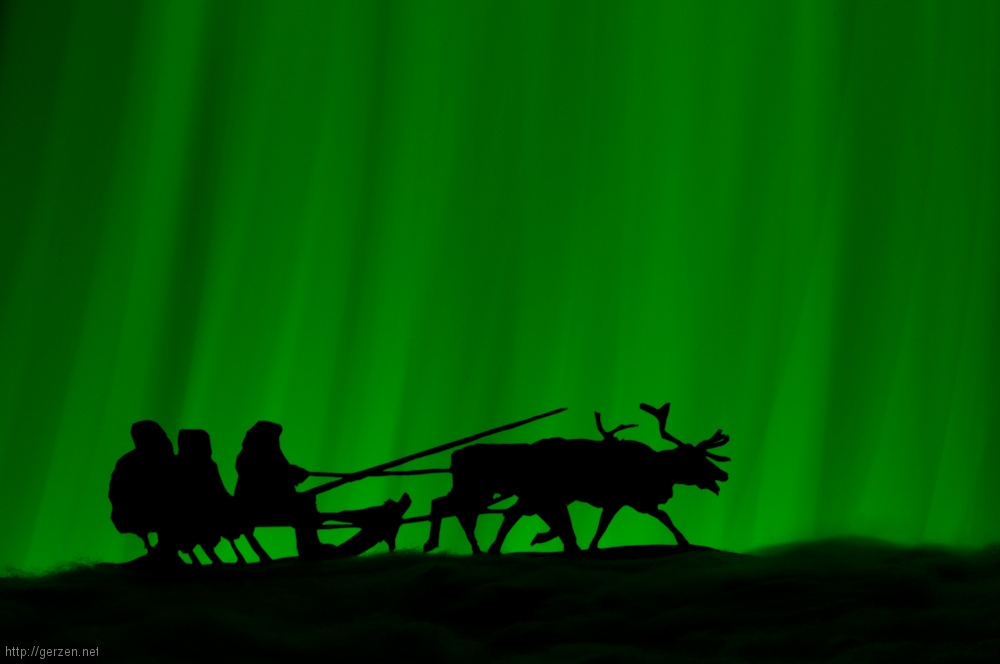
You don't have to join an Arctic expedition to take a photo of the Northern Lights. With your own creativity and just a few tools, you can do it without setting foot out of the house.
Firstly, you need a camera with bulb mode, which allows you to start and stop the exposure time manually. If the camera does not have this mode, it should at least have the setting to set the shutter speed to 30 seconds. The camera must not move during the exposure, a tripod is a must. The room where the shoot takes place should be completely dark. The third indispensable tool is the light source, which can be a coloured, preferably green, LED or an LED lamp with a transparent colour attachment. An iPhone or Android smartphone with a suitable app is also suitable. For my device, I installed the ‘Colour Flashlight’ app from the Google Play Store.
So that the future light show does not look boring and as real as possible, you should provide decoration. To do this, cut out a silhouette from black craft card or use the toy or model figures. I created my silhouette myself in an image editing programme and printed it out on drawing cardboard (190 g/m²).
I set up the scenery on a large shoe box, see the following photo. The cotton wool simulates the snow, it reflects the ‘aurora borealis’ and provides the depth in the picture. I placed the aluminium foil under the cotton wool on the assumption that it would increase the reflection, but it obviously didn't bring any visible advantage.
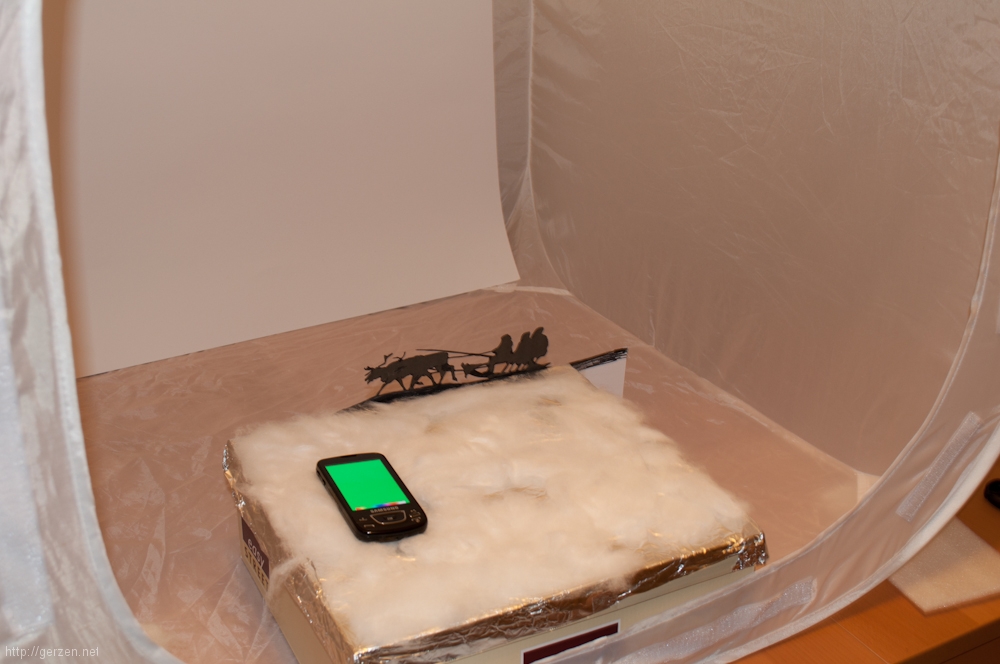
For the shots, I positioned the camera at the height of the reindeer, focussed in automatic mode in normal light and then switched to ‘manual’. The aperture was closed as far as possible ─ to f/36.
I started the app on the smartphone and set it to green coloured light, before setting the light intensity of the screen to the minimum. In the dark room, the camera was triggered and the background was coloured in with quick, even movements up and down. Hold the smartphone behind the scene and shine the screen into the lens.
The trick is that during the oscillations the amplitude should be outside the focal angle, otherwise the rectangular imprints of the screen will remain on the image, cancelling out the whole aurora effect.
When the entire image area has been coloured in two or three times, the recording can be stopped and the photo is finished.